• Skip to primary navigation
  • Skip to main content
  • Skip to primary sidebar

Adventures Online

WordPress Consulting and Services

  • Home
  • Services
    • SEO Program for High Performers
    • WordPress Coaching
    • SEO Audits
    • WordPress Upgrades Package
    • WordPress Website Development
    • Special Projects: Custom Programming
  • Clients
    • Client Success Stories
  • Blog
  • About
    • Meet Karen Callahan
    • Speaking
  • Contact
    • 508-480-8833
You are here: Home / Marketing Tips / Branding Your Logo

Branding Your Logo

August 18, 2005 / by Karen Callahan /

You may have noticed that more and more websites are displaying their logos in the URL bar of the browser.
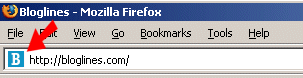
Your logo in address bar

If you bookmark the site or save it in your favorites, the logo displays next to their listing.
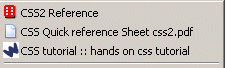
Logo in browser bookmark

How’d they do that?

  1. They create a 16 pixel x 16 pixel graphic and save it as a .ico file. The .ico indicates to the browsers that it is an icon.
  2. They add a single statement to the (behind-the-scenes) header section of each page of their website.
  3. They upload the graphic to the graphics folder on their website.
  4. They upload each page of their website.
  5. Voilà, c’est fini.

This is an inexpensive way to brand your logo. Call Adventures Online at 508-480-8833 to receive your quote today.

Filed Under: Marketing Tips

Previous Post: « What is RSS?
Next Post: Domain Names, Registrars, and Records »

Primary Sidebar

Connect with Karen

  • Email
  • Facebook
  • Instagram
  • LinkedIn

The more you know…

Email(Required)

Copyright © 2026 · Adventures Online · All rights reserved.       Privacy Policy