Congratulations to Your Gift Certificate (YGC) who recently launched its redesigned website! YGC, located in Southborough, MA, is the brainchild of Ken Kahn and Steve Brideau. YGC offers unique marketing programs that put businesses in front of homebuyers at peak purchase time as homebuyers transition into their new homes. Late in 2014, YGC chose Adventures Online to redesign and develop its website.
(UPDATE: Your Gift Certificate has since updated its offerings and re-branded as GiftBeam)
Key Business Objectives
- Present consistent branding across Your Gift Certificate’s websites
- Provide a familiar user experience across platforms (desktops, laptops, tablets, and cell phones) aka a “responsive design”
- YGC staff to update website content including clients and industries
- Website visitors to view the list of clients sorted by their choice, either by client name or industry, with just one click
Working towards the solution…
1. Design requirement: Make the .COM website look more like the .BIZ website.
(A major portion of the re-design had been completed in 2013 when Adventures Online developed YGC’s sister website for consumers.)


2. Working Mock Up
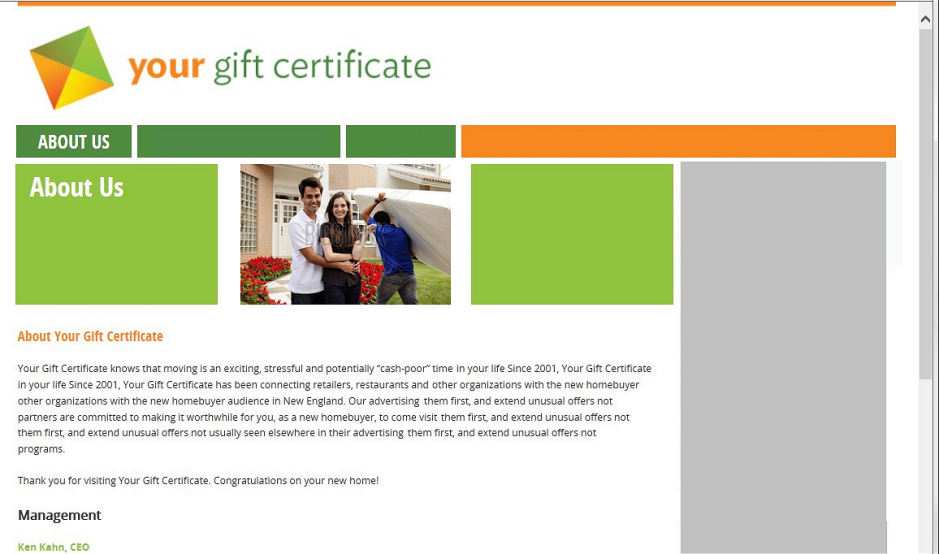
- Logo top left
- Menu strip below logo and across the page
- Green strip for header consuming ¾ of the page
- Right sidebar consuming ¼ of the page
- Page Title in header on the left
- Subject-appropriate image in header area
- Content consuming white space below header area
3a. Final Redesign (desktop version)
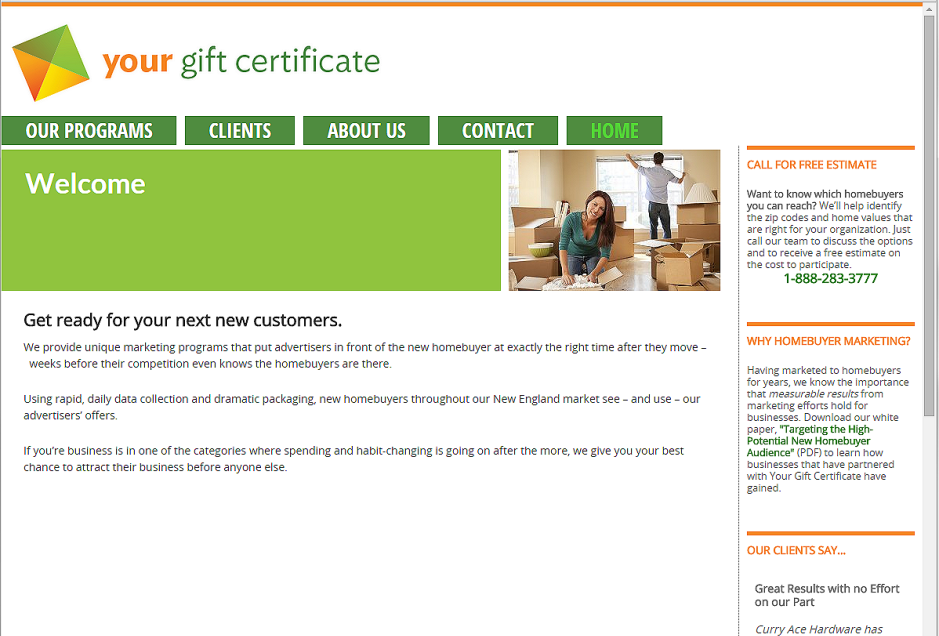
During development/client review, the client requested that the header images be right-justified to abut the right sidebar. The orange portion of the top menu bar (right) was abandoned in anticipation of adding more pages. Once added, the links to the pages will use the green/white combination of the menu items in order to maintain consistency and balance. The sidebar was filled with at-a-glance contact information, client testimonials, and links to whitepaper downloads.
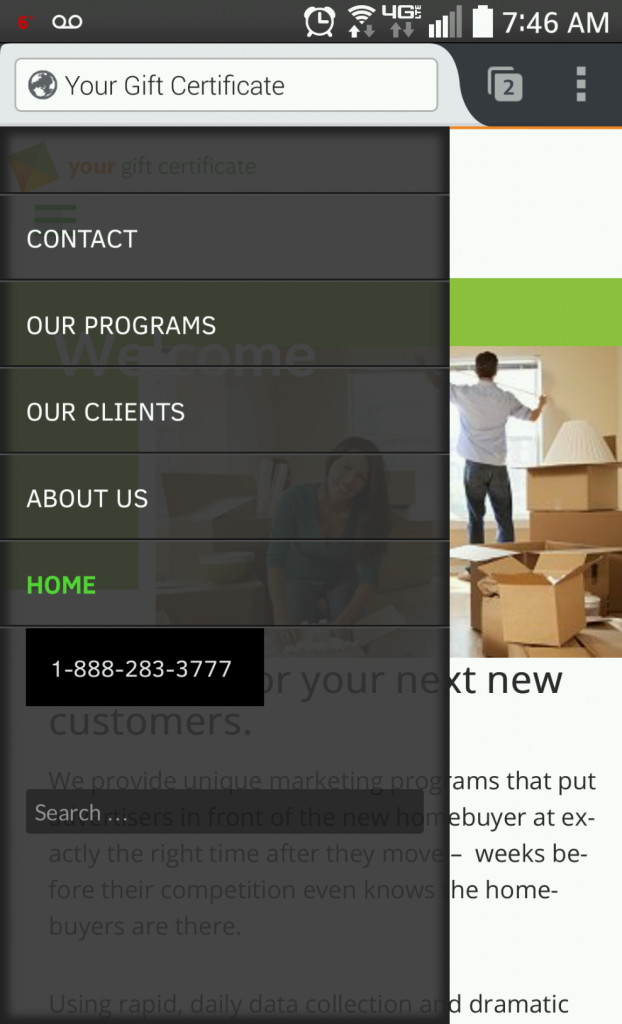
3b. Final Redesign Demonstrating Responsive Design
On tablets and cell phones, the top menu collapses to the generic menu symbol, the hamburger (three horizontal lines).

Solutions to Satisfy the Business Objectives
The first two business objectives were accomplished via the design as demonstrated above.
To satisfy objective three (YGC staff to update website content including clients and industries),WordPress was chosen as the foundation on which to build the redesigned website. YGC staff were familiar with the ease-of-use of WordPress as a content management system. Further, custom WordPress plugins were developed in order for staff to maintain the list of their clients and industries. The maintenance screens are accessible via the WordPress Dashboard menu.
To satisfy objective four (Website visitors to view the list of clients sorted by client name or by industry with just one click), custom programs were written. Each time the Client page displays, the client-industry combinations are extracted from the WordPress database so that the most up-to-date list is always displayed. There are buttons in the Client and Industry columns. When one of the buttons is clicked, the list of clients re-sorts itself without the page re-loading.
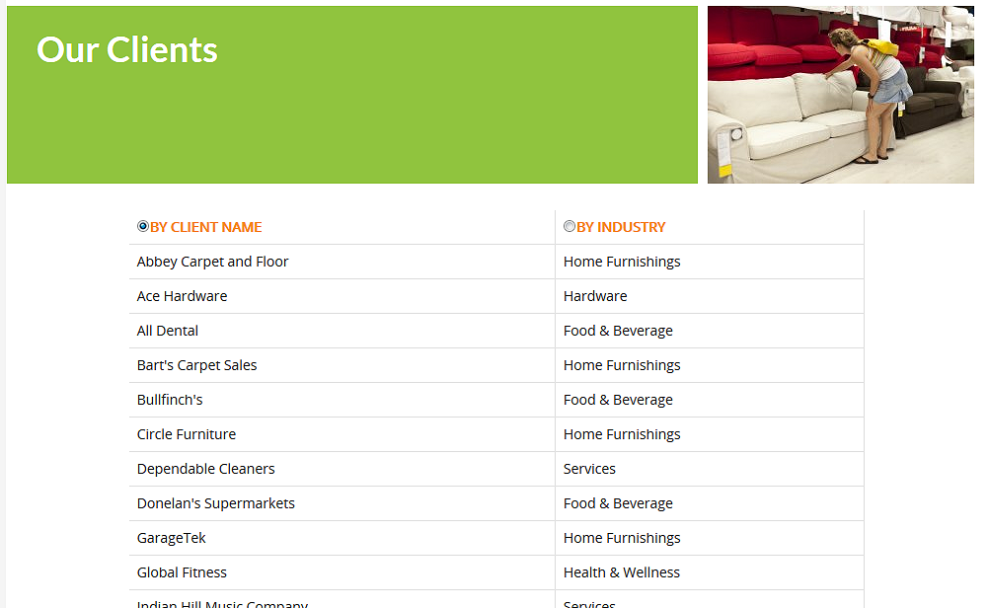
Technology note: Programming included PHP, jQuery, and Ajax with MySQL views. The programming is invoked via a custom shortcode on the Client page.
The website recently launched and staff has attended a refresher WordPress training session.
~~~~~~~~~~~~
Thank you, Ken and Steve of Your Gift Certificate for once again trusting Karen Callahan of Adventures Online with your website work! It was wonderfully challenging with a good mix of components!